Learn why UI and UX design are important for websites and apps. Have you ever closed a website because it felt slow, cluttered, or like it was hiding what you wanted? That tiny, annoying impulse is exactly why UI and UX design matter. This is also where professional UI UX design services make a real difference in improving user experience and performance. And yes, it’s tied to the old debate of ui vs ux.
You can consider these elements as siblings but not exactly twins. One handles the look and touch. The other handles the whole trip you take through a product. In this article, we will walk through what actually changes when design is done well and provide useful tips you can use and observe.
Understanding the Importance of a Good UI vs UX Design
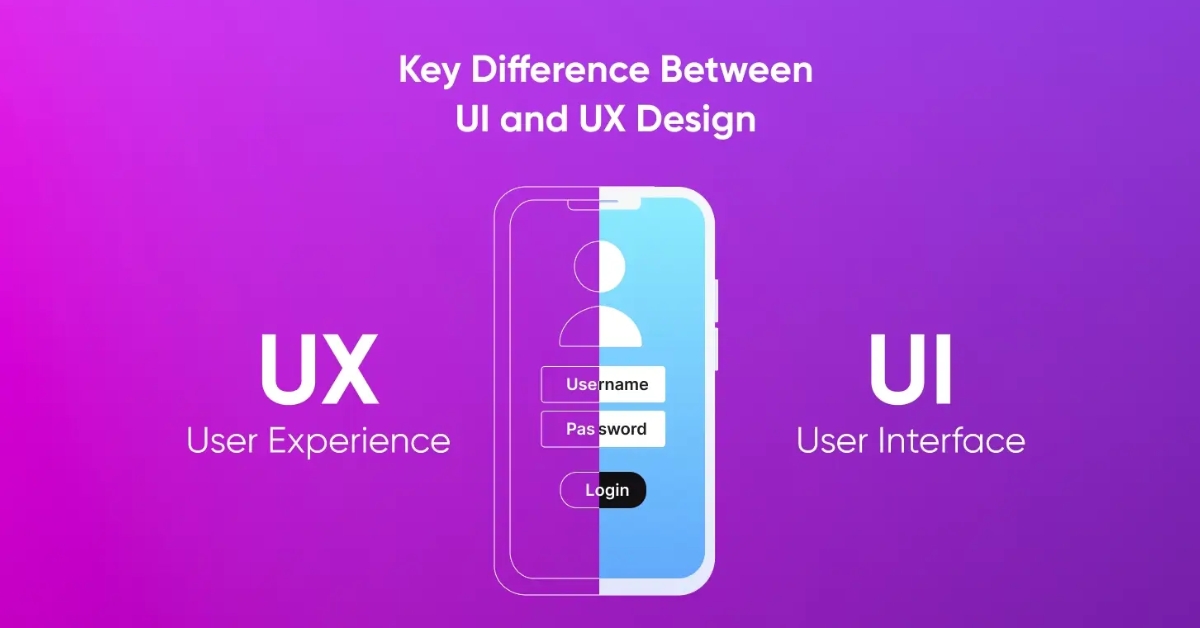
The UI (user interface) is the interactive element a user sees when they open a website or app. These include buttons, screens, layouts, etc. The UX (User Experience) is what makes all that functional and easy to use – almost intuitive. The goal for a UI UX designer is to create a product that not only has visual appeal but is easy to use and understand. UI invites you in. UX makes you want to stay and buy something.
Let’s start with an example.
The Example
You want to book a hotel. The search box is tiny, filters are buried, and the “book now” button hides under an ad. Ten minutes later you’re on a competitor’s site and it took you half the time to book. That’s UX failing, and UI didn’t help either.
But why?
See, you can think of UI as the store window where you can see clearly. When it comes to a website or app, it would be its buttons, colors, icons, spacing, and typography. When the shop window is tidy, people step in and know what to expect but they might walk past a messy, outdated one.
UX is the layout of the aisles, whether the staff helps you, and how long the line is. It’s the user-friendliness of the product to ensure that the visitor who has come for something gets it, effortlessly.
Here’s what matters:
- People decide in seconds whether to stay.
- A clear design makes tasks faster.
- Good UX reduces support calls and returns.
- Clear UI builds trust.
- Small fixes often lift conversion noticeably.
Quick Note on What Helps Good UI and UX
Small tweaks can fix big problems. For instance, if the website has the following problems:
- Checkout: Confuses the user with too many steps and shipping costs hidden until the last page. This would lead to cart abandonment.
- Search: The search bar is buried or offers no filters, so users give up.
- Mobile: Tiny tap targets are unhelpful and lead to error taps. Angry users would uninstall due to the lack of ease.
You can simply fix mistakes like these by moving the search bar up, showing shipping early and making buttons big enough. Doing small fixes is better than an entire redesign.
What Hiring a UI and UX Designer Looks Like
If you hire a ui ux designer, they won’t just pick colors. You should expect:
- Quick interviews with real users of 5 to 10 minutes.
- Clickable wireframes you can tap through.
- A short usability test by watching 5 people try the main task
- Fast iterations by changing, testing, and changing again
If you skip that, you’re guessing and guessing wastes time and money.
Practical Checklist and Tips to Polish A UI UX Design
The first things you should notice when fixing a UI vs UX problem are:
- Is the main task obvious in one glance?
- Can users complete it in under X steps? (set X = 3 for simple tasks)
- Are buttons big enough on mobile?
- Is the error help clear and friendly?
- Is performance acceptable on slow connections?
Do these first five. Everything else is polished.
When Businesses Should Hire UI UX Design Services
Companies bring in ui ux design services when they need to stop guessing and start improving measurable outcomes: conversion rate, sign-ups, retention. It’s an investment with clear KPIs when done with research and testing. Some common issues include:
- Microcopy: Small text like button labels or error messages. Say “Try again” or “We saved your progress,” not vague phrases like “Something went wrong.”
- Feedback: Show loading spinners or progress bars during longer actions. People are more patient when they know something is happening.
- Defaults: Smart defaults speed things up. Pre-select common options when it’s safe to assume them.
- Hidden CTAs: A landing page that screams “creative” but hides the main button? Pretty, not profitable.
- Long forms: Asking for too much information at once scares people away. Keep forms short and simple.
Solution providers like DigiKnock know exactly what they’re doing to improve the overall experience of your product.
Learning UI vs UX with Experts
The easiest way to break into the field is to find a small project, redesign one flow, test it with 5 users and iterate.
You can also take a practical ui ux bootcamp where you can:
- Learn practical design skills through real projects rather than just theory.
- Graduate with case studies you can show employers or clients.
- Know key UI vs UX skills that are usually taught in a short, focused timeframe.
- Get introduced to tools commonly used by professional designers.
- Get an instructor to review your work and help identify design and usability improvements.
- Provide guidance on resumes, portfolios, and job applications.
Conclusion
UI vs UX design is important for websites and apps because people can be impatient and unforgiving. Design isn’t decoration, it’s a pathway. Do the small, steady work by watching users, fixing the friction, and being plain where clarity matters. That’s the easiest way to make your product feel like it belongs in the market.
FAQs
- What’s the main difference between UI and UX?
UI is the look and controls. UX is the full path a person takes. One is the costume; the other is the play.
- Why use both on websites and apps?
Because one attracts and the other retains. You need both to convert traffic into action.
- Do design decisions really increase sales?
Yes. Cleaner flows, clearer CTAs, and faster load times all help conversions. Do an A/B test one change at a time.